Closed Captions for Live Streams Using OBS
Written By David Witherden
Last updated 3 months ago
Closed captions can be generated for live streams that are devlivered using the OBS encoder, and these can be served along with the live steam in MEDIAL.
To configure this setup:
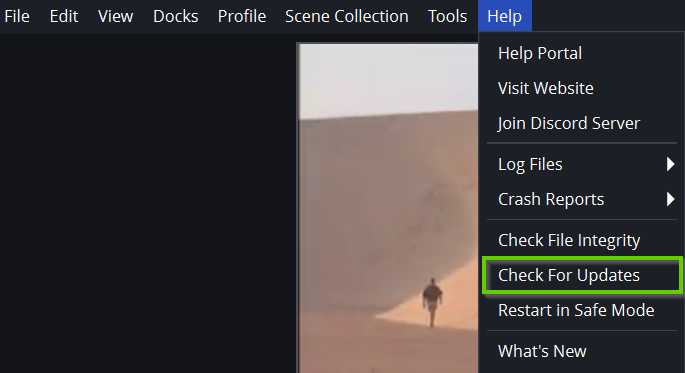
Before proceeding, ensure that OBS is up-to-date. If an update to OBS is required, click on Help, then Check For Updates, and then run through the update in order to update it to the latest version.
Download the OBS Closed Captioning Plugin and choose the zip for either Linux, MacOS or Windows based on the OS you are using:
https://github.com/ratwithacompiler/OBS-captions-plugin/releases
NOTE: This giude covers how to configure this in Windows.
Extract the contents of the zip file and then navigate into the 64bit folder. Copy the plugin DLL that is in there:
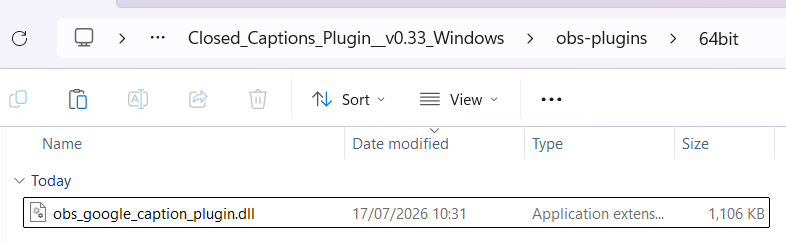
Locate the same 64bit folder in your installation of OBS and paste the file in there. The default location for this in Windows should be:
C:\Program Files\obs-studio\obs-plugins\64bit
Run OBS
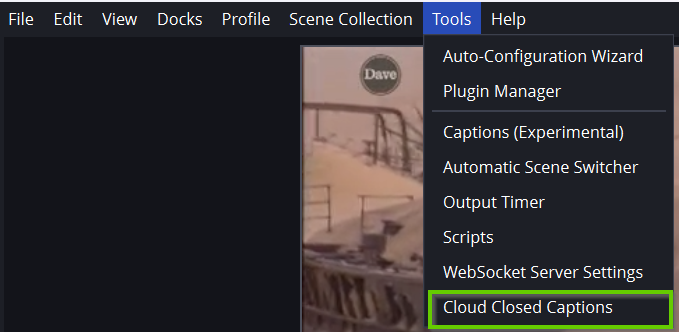
Click on Tools and then click Cloud Closed Captions.
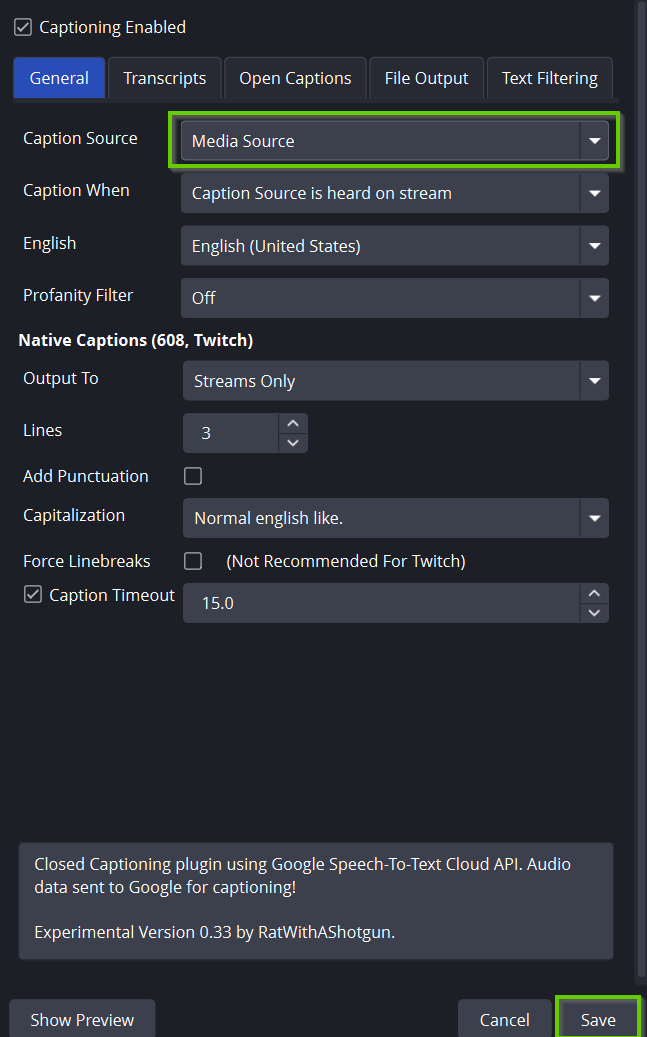
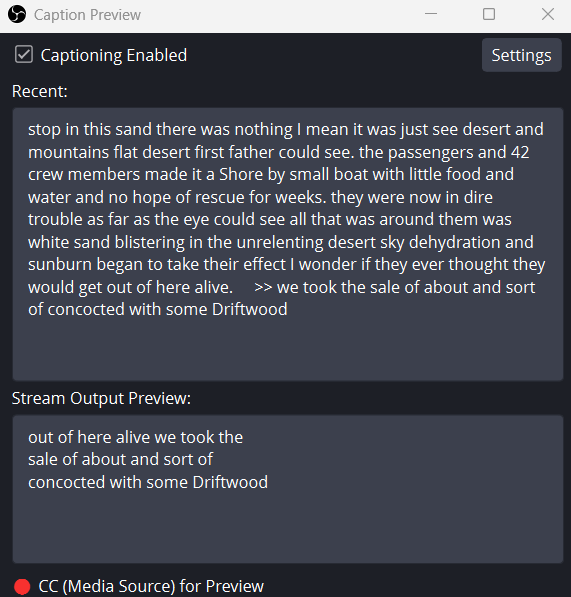
Click on Captioning Enabled and then click on Settings.

Selct Media Source for your Caption Source, set any other settings you would like and then click Save.
Once save, if your source is playing, you will see the captions start appearing in the caption preview window. This window can now be closed.
Click on Settings and ensure your live stream is configured correctly to stream to MEDIAL.
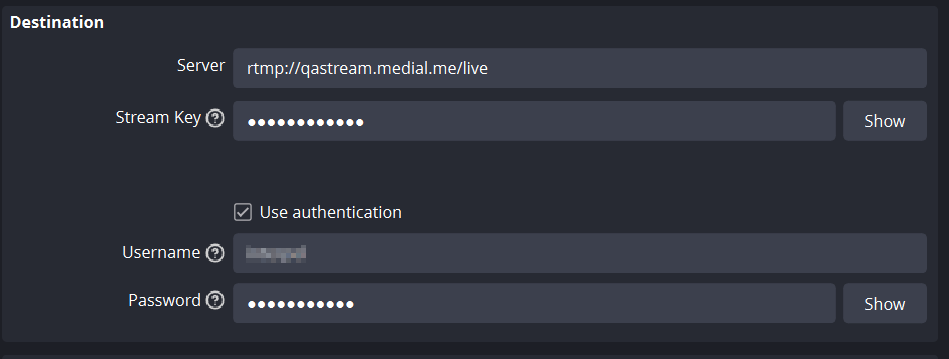
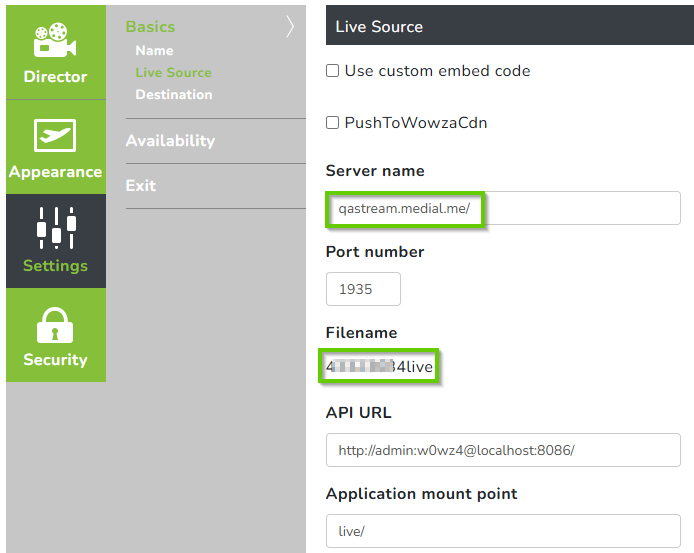
The above settings are taken from your channel in MEDIAL. In the channel settings, use the server name followed by /live for the server in OBS, and the filename for the Stream Key field in OBS. The username and password should be the credentials created in Wowza for pushing the live stream. For more information, please see the Wowza Source Authentication section in the 11. .
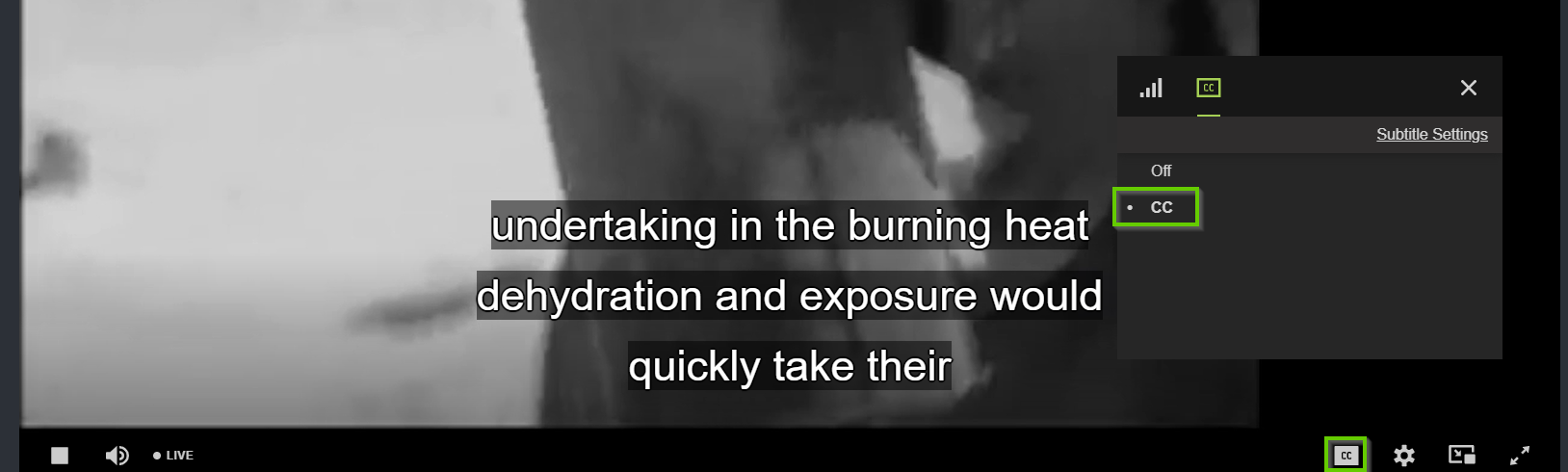
Start the stream in OBS, and then navigate to the live channel in MEDIAL. The live stream should be playing, and if there are no captions look for the CC button in the player, and then enable them.
Was this helpful?
Still need help? Ask the team